Cloudsy provides customers with direct access to core network security controls such as ACL, SLB, and NAT. These mechanisms allow precise control over inbound and outbound traffic - but they also require understanding what rules are applied and why. Security is powerful only when configured correctly.
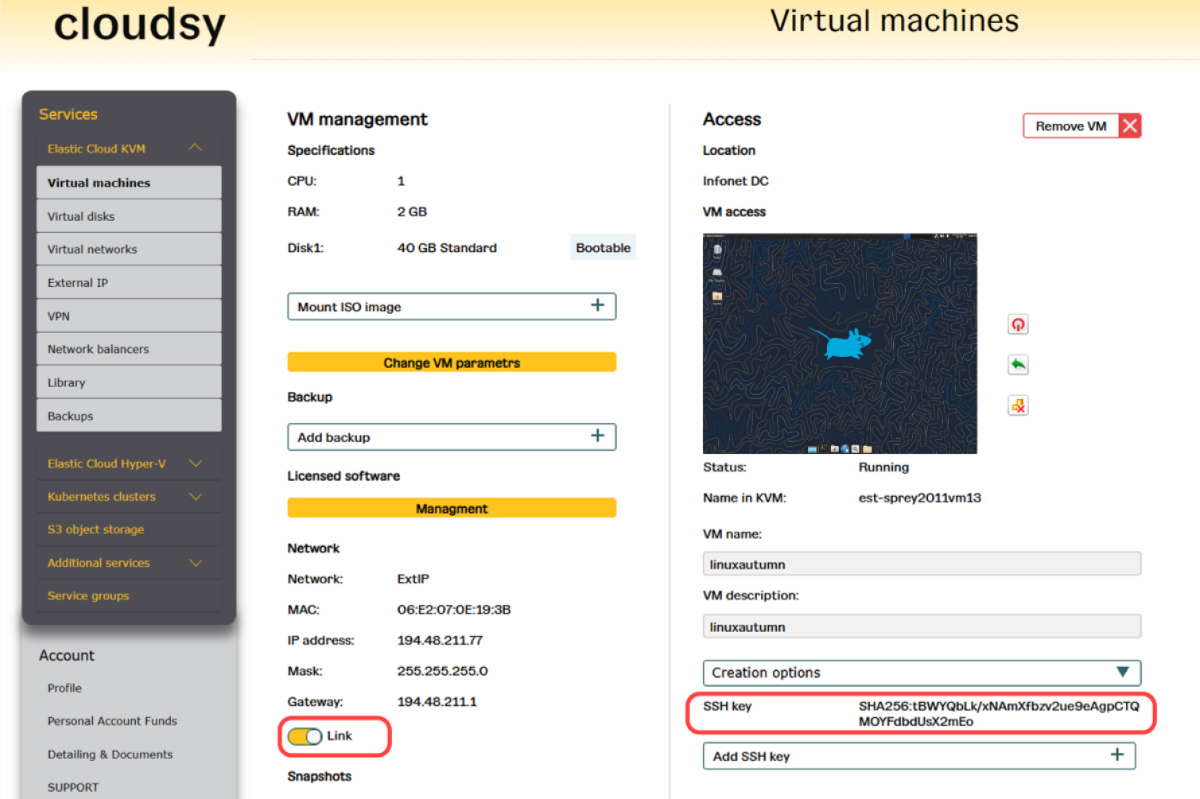
When creating a Linux virtual machine, customers can optionally add their own SSH public key. This allows secure, passwordless access for the first login, simplifying initial configuration while reducing exposure to credential-based attacks. Regarding the root account, security best practices recommend disabling SSH access for root. This limits attack vectors while preserving full administrative control through safer access methods.
If a VM is suspected of malware infection or an ongoing attack, it can be instantly isolated from the internet using a single control - the “LINK” button. This immediately stops external communication while keeping the VM available for analysis and recovery.
Security in Cloudsy means practical control:
✅ Customers can configure ACL, SLB, and NAT themselves,
✅ Optional SSH key-based access for secure, passwordless login,
✅ Privileged access control to keep VMs safe,
✅ Instant isolation from the internet when required.
When creating a Linux virtual machine, customers can optionally add their own SSH public key. This allows secure, passwordless access for the first login, simplifying initial configuration while reducing exposure to credential-based attacks. Regarding the root account, security best practices recommend disabling SSH access for root. This limits attack vectors while preserving full administrative control through safer access methods.
If a VM is suspected of malware infection or an ongoing attack, it can be instantly isolated from the internet using a single control - the “LINK” button. This immediately stops external communication while keeping the VM available for analysis and recovery.
Security in Cloudsy means practical control:
✅ Customers can configure ACL, SLB, and NAT themselves,
✅ Optional SSH key-based access for secure, passwordless login,
✅ Privileged access control to keep VMs safe,
✅ Instant isolation from the internet when required.